
Remove clean MBR Partition Table via CMD command Prompt
To run Diskpart, you need to first open Command Prompt. Press Windows + R key combination to start Run box. This will take delete internal hard disk MBR partition for example.
- Type “diskpart” in Run box and press Enter. Please run CMD as administrator.
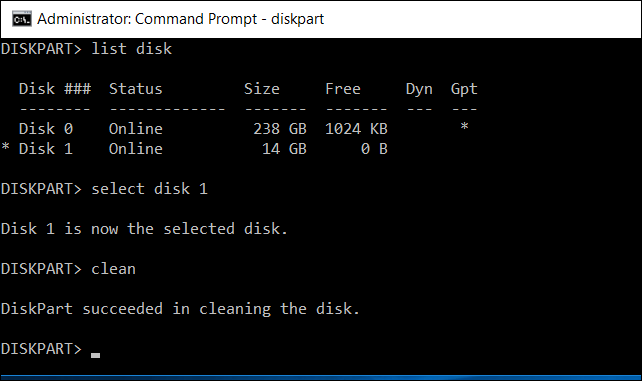
- Type “list disk”
- Type “select disk X”. X is the disk number you want to convert.
- Type “clean”. This will delete all partitions or volumes on the disk.
- Type “convert gpt”.
- Type “exit” to exit the Command Prompt